
STACKWORKS APPS / Everyday tools
Kotsu Camera
Not sure how to take a good photo? Just follow the tips.
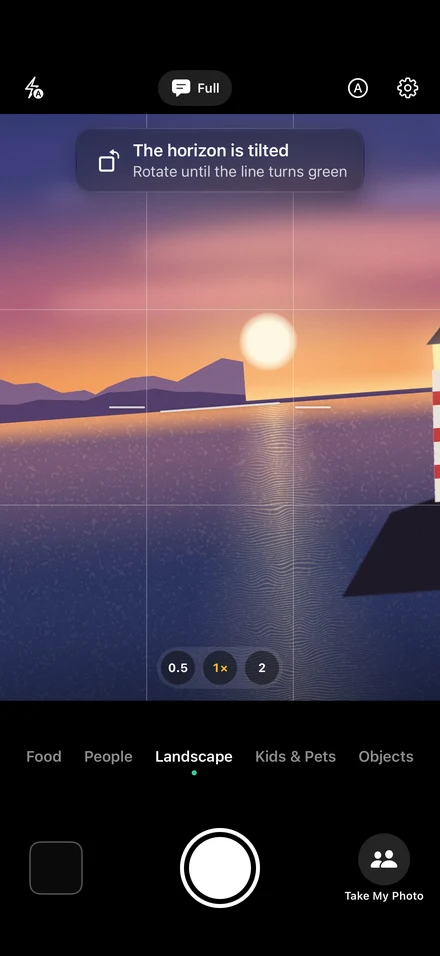
Kotsu Camera shows you the one thing to fix right now, right on the camera screen: “Move left a little,” “The horizon is tilted,” “Backlit, face is dark.” When everything lines up, the screen glows green, and it can even take the shot for you.
Store links will be added when the app is released.
01Unlimited Take My Photo
02Take My Photo from the Lock Screen
03Browse the whole burst and keep your favorites too
APP SCREENS
A closer look at the app.
Tap an image to view it full size.
Always just one tip at a time.
Give people who find photography hard too many instructions at once, and they freeze. Kotsu Camera puts the fixes in order and tells you only the one that matters most. Once it's fixed, you get a check mark and a light haptic tap. If it's too chatty, switch to Quiet or Silent.
- 1. LevelA tilted photo never feels settled. Rotate until the line turns green.
- 2. Brightness and backlightGet “Backlit, face is dark” or “Too dark, may blur” before you shoot, not after.
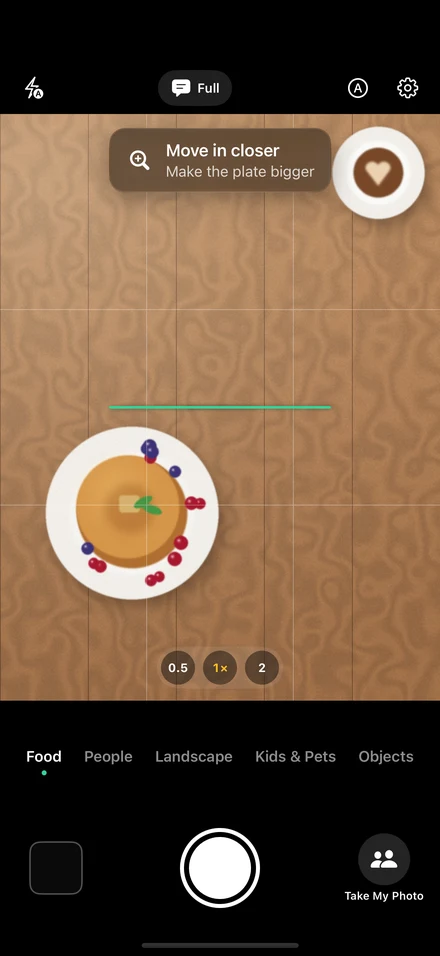
- 3. Position and sizeLine your subject up with the circle on the thirds or in the center: “Move left a little,” “Move in closer.”
- 4. HeightFor kids and pets, “Crouch down.” For food, “Shoot from higher up.”
Food, People, Landscape, Kids & Pets, Objects
Food: fill the frame with the plate, from a 45° angle or straight above. People: face on the upper line, shot at eye level. Landscape: horizon on a grid line. Each scene has its own idea of what makes a good photo.
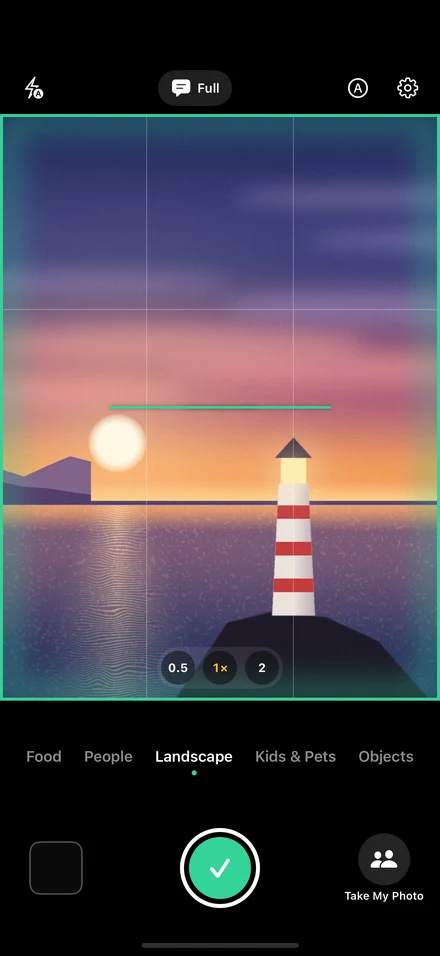
When it glows green, just press.
Once there's nothing left to fix and the shot is framed, the edges of the screen and the shutter button turn green. Turn on Auto Shutter, and it takes the photo after the green holds for a second. After each shot, you get Feedback: one thing you did well, and one tip for next time.
Get the shot you wanted, even when someone else takes it.
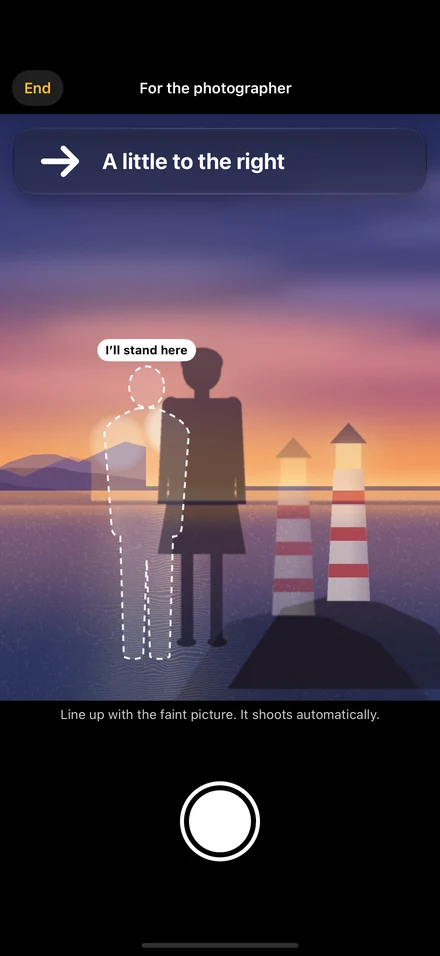
Frame the shot yourself, take one photo, and hand over your phone. On their screen, your photo appears as a faint overlay, and a figure shows where you'll be standing. If they're off, the guidance tells them what to do, like “A little to the right.” Once it lines up, it takes a few shots automatically and keeps the best one. The guidance appears in English. Turn on Also Show Japanese in Settings to show it in Japanese too, for when you ask someone in Japan.
Open it from the Lock Screen, and you can hand over your phone while it stays locked, so your photos and messages stay private (Plus).
Ready the moment you want to shoot.
No ads or announcements when it opens. Open Kotsu Camera straight from the Lock Screen, Control Center, the Action button, or Camera Control (iPhone 16 and later).
PrivacyYour photos never leave this iPhone.
Composition and lighting are analyzed with Apple's Vision framework and a language model that runs on your device. It works without an internet connection. Photos are only added to your Photos app, and the app never reads them. No accounts, ads, analytics or tracking.
Get more out of Take My Photo.
Coaching, shooting and saving all work without Plus. Without Plus, you can use Take My Photo 3 times a day.
- Unlimited Take My Photo
- Take My Photo from the Lock Screen
- Browse the whole burst and keep your favorites too
- Save in RAW (supported models)
- A histogram, plus golden ratio, diagonal and square grids
Plus is a one-time In-App Purchase (non-consumable). The price is shown in the App Store. Family Sharing is supported.
SUPPORT & CONTACT
Kotsu Camera · support
Questions, bug reports and suggestions are welcome.